
In today’s digital world, online security is no longer optional—it’s essential. With South Africa seeing a rise in cybercrime, from phishing scams to data breaches, protecting your personal information is critical. Fortunately, you don’t need to be an IT expert to stay safe online. By adopting these five easy habits, you can significantly reduce your risk and enjoy a safer online experience.
Create Strong, Unique Passwords
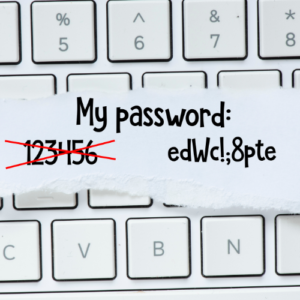
Weak passwords are like open doors for cybercriminals. Avoid using easily guessable combinations such as “123456” or “password.” Instead, create strong, unique passwords for each account. Use a mix of uppercase and lowercase letters, numbers, and symbols. For example, “S@f3PA55w0rd” is much stronger than “admin123.”
Tip: Use a password manager to securely store and generate strong passwords. This way, you won’t need to remember them all.
Beware of Phishing Scams
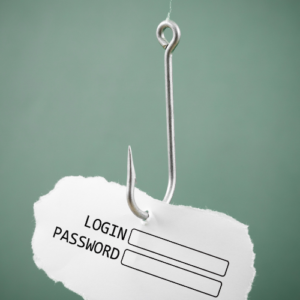
Phishing scams trick you into revealing sensitive information like passwords or credit card details. Be cautious of unsolicited emails, SMSes, or WhatsApp messages that ask for personal information or include suspicious links.
How to Spot a Phishing Attempt:
- Look for spelling and grammatical errors.
- Verify the sender’s email address.
- Avoid clicking on links; instead, visit the official website directly.
If you’re unsure, double-check with the sender or report the message as spam.
Enable Two-Factor Authentication (2FA)
Two-factor authentication adds an extra layer of security to your accounts by requiring a second form of verification, such as a code sent to your phone or email. Even if a hacker gets your password, they can’t access your account without the second factor.
Most major platforms, including Google, Facebook, and banking apps, offer 2FA. Enable it wherever possible.
Keep Your Software Up-to-Date
Outdated software is a common entry point for hackers. Regular updates fix security vulnerabilities and improve system performance. This applies to your operating system, apps, and even your browser.
Pro Tip: Enable automatic updates to ensure you’re always protected without having to think about it.

Use Secure Wi-Fi Connections
Public Wi-Fi networks are convenient but often insecure. Hackers can easily intercept data on these networks. Avoid accessing sensitive accounts (like online banking) when connected to public Wi-Fi.
Safer Alternatives:
- Use a Virtual Private Network (VPN) to encrypt your connection.
- Use your mobile data instead of public Wi-Fi for secure transactions.
Bonus Tip: Educate Yourself and Your Family
Cybersecurity isn’t just an individual effort. Talk to your family and friends about these habits and help them stay safe online too. Share resources and stay informed about the latest threats.
At iTRINITY Consulting, we’re passionate about helping South Africans protect themselves in the digital age. Whether you need IT support, cybersecurity advice, or help with Google Workspace, we’ve got your back. Contact us today and let’s make your online experience safer and more secure.
Stay safe out there!