
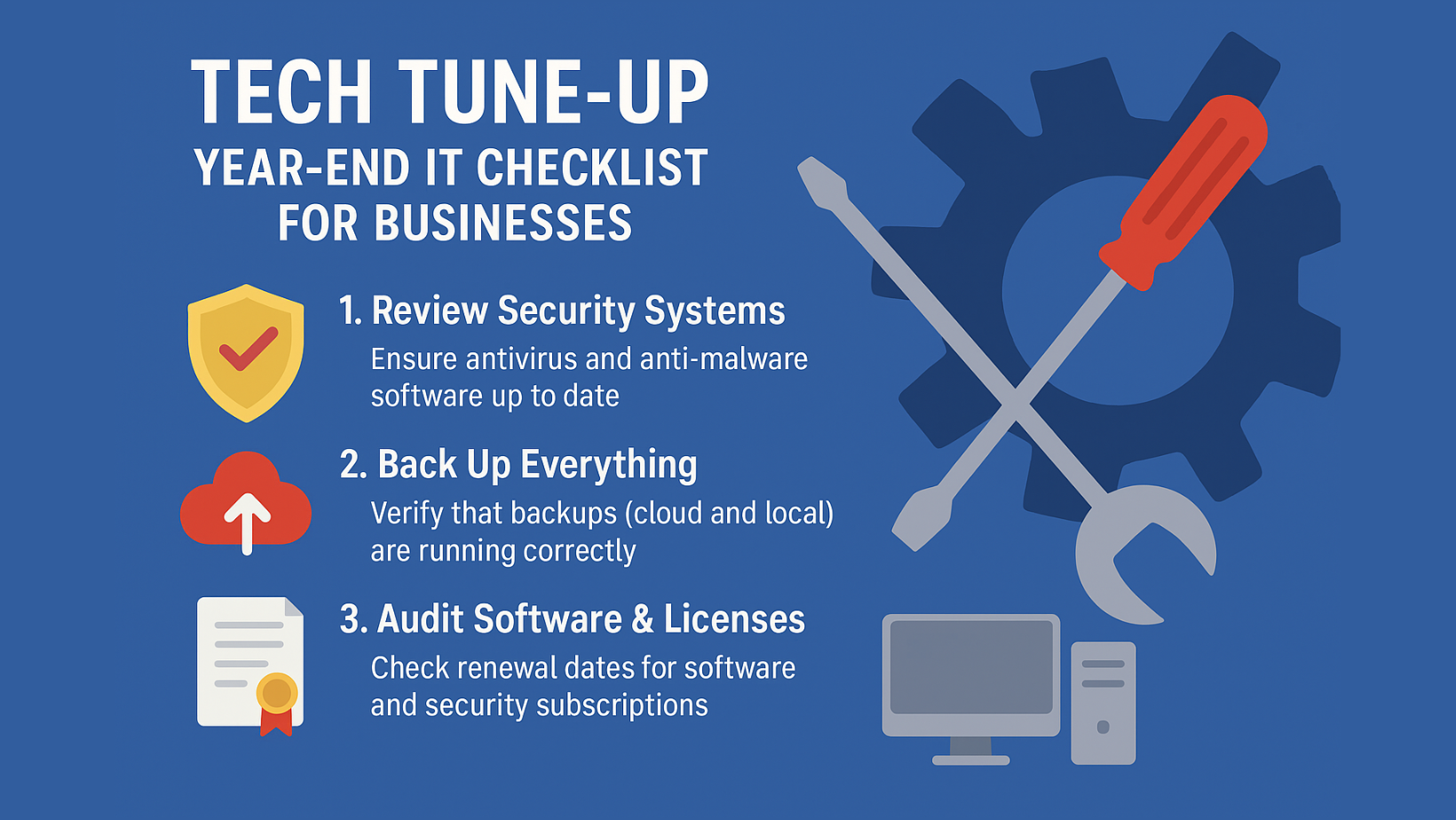
As the year winds down and the festive season approaches, it’s the perfect time to review, refresh, and reinforce your IT systems. A proactive year-end tech check not only ensures smooth operations through the holidays but also sets your business up for a strong start in the new year.
Here’s a simple yet effective IT checklist to help your business stay secure, efficient, and ready for what’s next:
🔒 1. Review Security Systems
Before closing the year, double-check your cybersecurity measures.
- Ensure antivirus and anti-malware software are up to date.
- Run full system scans for vulnerabilities.
- Update firewalls and intrusion detection systems.
- Review user access permissions — remove old or inactive accounts.
🧠 Tip: Cybercriminals often target businesses during the holiday slowdown. Stay alert and informed.

☁️ 2. Back Up Everything
Your data is your business’s lifeline — protect it!
- Verify that backups (both cloud and local) are running correctly.
- Test your ability to restore data — don’t wait for a crisis to find out.
- Ensure backups are encrypted and stored securely offsite.
🧾 3. Audit Software & Licenses
Expired licenses or outdated software can expose your business to risks.
- Check renewal dates for software and security subscriptions.
- Uninstall programs no longer in use.
- Update operating systems and apps to their latest versions.
💡 4. Evaluate IT Hardware
Outdated or sluggish devices can affect productivity.
- Check the age and performance of computers, servers, and network equipment.
- Schedule replacements or upgrades if devices are nearing end-of-life.
- Clean up physical workstations — tidy desks, dust-free hardware, and organized cables go a long way!
👨💻 5. Refresh Employee Awareness
People are the first line of defense against cyber threats.
- Conduct a short refresher session on phishing, password safety, and data handling.
- Update your IT policy if needed and make sure everyone’s familiar with it.

🚀 6. Plan for the New Year
Look ahead with confidence.
- Review IT goals and budgets for the coming year.
- Identify tech pain points that need attention.
- Schedule system upgrades, migrations, or new integrations early.
💬 How iTRINITY Can Help
At iTRINITY Consulting, we help businesses stay secure, efficient, and ready for anything. From data backups and cybersecurity to network audits and cloud solutions, our team ensures your IT works seamlessly — even during the busiest seasons.
Let’s get your systems tuned up for the new year.
📞 Call us on 011 664 6219 or visit itrinity.co.za